O in short: Drive image and backup software to create exact image of a hard drive partition or logical disk. Drive image files can be created with various compression levels without stopping Windows and stored in a variety of places including removable media.
|
 Categories Categories |
|
|
|
|
|
R-Drive Image 4.7 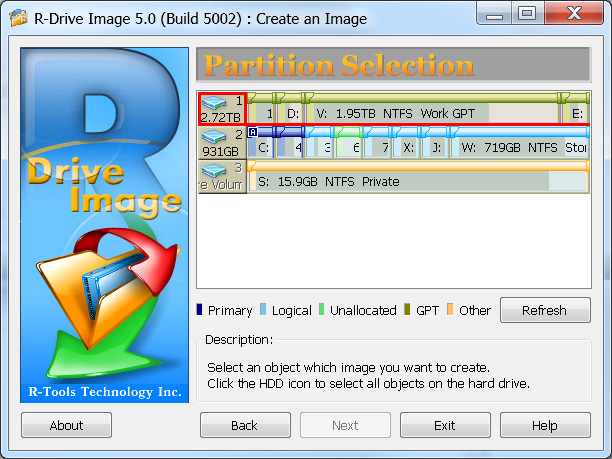
Click to enlargeDescription:R-Drive Image copies disks and creates disk image files for backup or duplication purposes. Disk image file contains exact, byte-by-byte copy of a hard drive, partition or logical disk and can be created with various compression levels on the fly without stopping Windows OS. These drive image files can then be stored in a variety of places, including various removable media. R-Drive Image is capable of restoring images on the original disks, on any other partitions or even on a hard drive's free space. A bootable module can be written to a CD/DVD disc together with the image data. Backup sets and Differential/Incremental image creation mode are supported as well. To restore only certain files from a disk image, you can connect the image as a virtual disk and copy those files directly from the disk image using Windows Explorer or another file utility. A free 30-day trial version allows you to verify all R-Drive Image capabilities except creation and restoration a disk image when R-Drive Image is launched from a bootable media created by the trial version.
 | Price $ 44.95 /

Purchase R-Drive Image
Get it Now(to see additional options, click Buy Now) Type: Shareware File size: 11397 Kb Date: 04/17/2010 HomepageInstall support: Install and Uninstall OS: Win2000, Win7 x32, Win7 x64, Win98, WinServer, WinVista, WinVista x64, WinXP System requirements: At least 32 MB of RAM and administrative rights to install the program Language: English Recent changes in this Minor Update:New features and improvements | See also in:
| Utilities and Hardware: Utilities and Hardware:Backup | |  | Any Outlook Backup is a backup and restore tool for the Microsoft Outlook. It allows you to save Personal Folders, Contacts, Personal Address Book, Mail folders, Mail accounts, Message rules, signatures, stationery, tasks, notes, calendar, Templates. |
|
|
|




